To reinstate a Google Business Profile, find out why it was suspended, fix the problem, collect proof that your business is real, and send a reinstatement request through Google’s Business Profile appeals tool. Google reviews the request and usually replies by email within a few business days. If your request is approved, your profile comes back online. If it is denied, you can fix the gaps and appeal again.
This guide explains how to reinstate a Google Business Profile in plain steps. You will learn what a suspension is, why profiles get suspended, what to prepare, how to appeal, and what to do after the profile returns.
What Does It Mean to Reinstate a Google Business Profile?
Reinstating a Google Business Profile means getting Google to restore a listing it suspended. A suspended listing is one that Google has limited or removed because it believes the profile broke the Business Profile guidelines. Once reinstated, you can edit the profile, reply to reviews, and show up on Google Search and Google Maps again.
A suspension is not the same as a deleted profile. Your reviews, photos, and business details are usually still there. Google has only blocked access until you prove the listing follows the rules.

Not Sure Where to Start?
Let our experts map out your next move — a clear, no-obligation review of your case, tailored to you.
What are the Two Types of Google Business Profile Suspension?
There are two types, and the fix depends on which one you have.
Soft suspension. Your listing may still appear on Google Maps, but you cannot manage it. You will see a message saying the profile is suspended, and edits are blocked. Customers can still find you, but they can also see unverified information and you cannot reply to reviews.
Hard suspension. Your listing is removed from Google Search and Google Maps. You may still see the profile in your dashboard with a red suspended notice. Customers cannot find you through Google, which means lost calls, lost visits, and lost jobs every day it stays down.
If you are not sure which one you have, sign in to the Google account that owns the profile and look at the notice at the top of the dashboard.
Why Has My Google Business Profile Disappeared?
A Google Business Profile usually disappears for one of five reasons. Check these before you start an appeal, because the right fix depends on the cause.
- Suspension for breaking guidelines. This is the most common cause, and the one this article covers.
- Marked as permanently closed. Someone, even a customer, may have suggested the business is closed, and the edit was accepted.
- Merged with a duplicate. If two profiles exist for the same business, Google may merge them and one disappears.
- Filtered from results. Google sometimes hides listings that look too close to another listing or that have spam signals. The profile still exists, but it does not show up in searches.
- Pending edits. Large changes to your name, address, or category can put the profile into review, and it may drop out of search for a short time.
To check, search your exact business name and city on Google. Then open Google Maps and search again. If the profile shows in your dashboard with a suspension notice, move on to the steps below.
Why Do Google Business Profiles Get Suspended?
Google suspends profiles when something looks wrong with the business details, the way the profile was set up, or the way it was edited. The most common reasons are listed below.
Does Your Business Name Match Your Real-World Name?
Your profile name must match the name on your signs, website, invoices, and licenses. Adding extra words such as city names or services, like “Best Plumber Dallas 24/7”, is one of the fastest ways to get suspended.
Is Your Address Allowed?
Google does not allow PO boxes, mailbox stores, or virtual offices as a business address. Shared offices can also cause trouble if you cannot show that your business works from that space. If you are a service-area business, such as a plumber or electrician who travels to customers, you should hide your address and list the areas you serve.
Is Your Business Eligible for a Profile?
Google only allows profiles for businesses that meet customers in person or travel to them. Lead generation sites, online-only stores, and rental listings for properties you do not run are not eligible.
Did You Make Big Edits Right After Verification?
Changing your name, address, category, or phone number soon after verifying can trigger a review. This is a common cause of sudden suspensions for new profiles.
Are There Other Profiles at the Same Address?
Multiple profiles for the same business at the same address, or for businesses with the same phone number or website, can look like spam to Google.
Is Your Website Broken or Missing Key Details?
Google compares your profile with your website. If the website is down, redirects somewhere else, or shows a different name or address, that mismatch can lead to a suspension or make your appeal harder to win.
Not Sure Where to Start?
Let our experts map out your next move — a clear, no-obligation review of your case, tailored to you.
How Can I Recover My Google Business Profile Account?
You can recover your Google Business Profile by confirming that you still own the account, fixing any guideline problems, and sending a reinstatement request. The steps below cover the full process.
Step 1: How Do I Find Out Why My Profile Was Suspended?
Sign in to the Google account that manages the profile and open your Business Profile dashboard. Google often shows a short notice, and the email Google sent usually names the policy involved. Read it carefully. If the reason is vague, compare your profile with Google’s Business Profile guidelines, line by line.
Step 2: What Should I Fix Before Appealing?
Fix every problem before you send anything. Check these items:
- Your business name matches your real signage and branding.
- Your address is a real location where you work, or it is hidden if you are a service-area business.
- Your category is correct and specific. Choose the main service you provide.
- Your phone number and website work and match what is on your profile.
- Your business hours are filled in and accurate.
- Your website loads, shows your name, address, phone number, and services.
Appealing before the fix is a common mistake. If Google sees the same problem, it will deny the request.
Step 3: What Proof Do I Need to Reinstate My Profile?
Google wants to see that the business is real and run from the address you listed. Gather what applies to you:
- A business license or registration showing your name and address
- A utility bill, lease, or tax document with the business name and address
- Photos of your storefront with the sign visible, and the inside of your location
- Photos of branded vehicles, uniforms, tools, or equipment (important for service-area businesses)
- Invoices, receipts, or contracts with the business name on them
- Your website and social media pages that match the profile details
Use clear, current photos. Blurry or old images can slow the review. Make sure every document shows the same name and address you use on your profile.
Step 4: How Do I Submit a Reinstatement Request?
- Open the Google Business Profile reinstatement form (the Business Profile appeals tool) from the suspension notice in your dashboard, or from Google’s Business Profile Help page.
- Select the profile you want to appeal.
- Enter your business details exactly as they appear on your documents.
- Upload your proof.
- Explain, in two or three short sentences, what the business does and what you fixed.
- Submit the request once, and watch your email.
Do not send multiple requests for the same profile. Duplicate submissions can slow the review or confuse the case.
Step 5: How Long Does Reinstatement Take?
Google usually responds within a few business days, but some cases take longer, especially if Google asks for more information. Check your email, including the spam folder, because Google may ask for a video or extra proof.
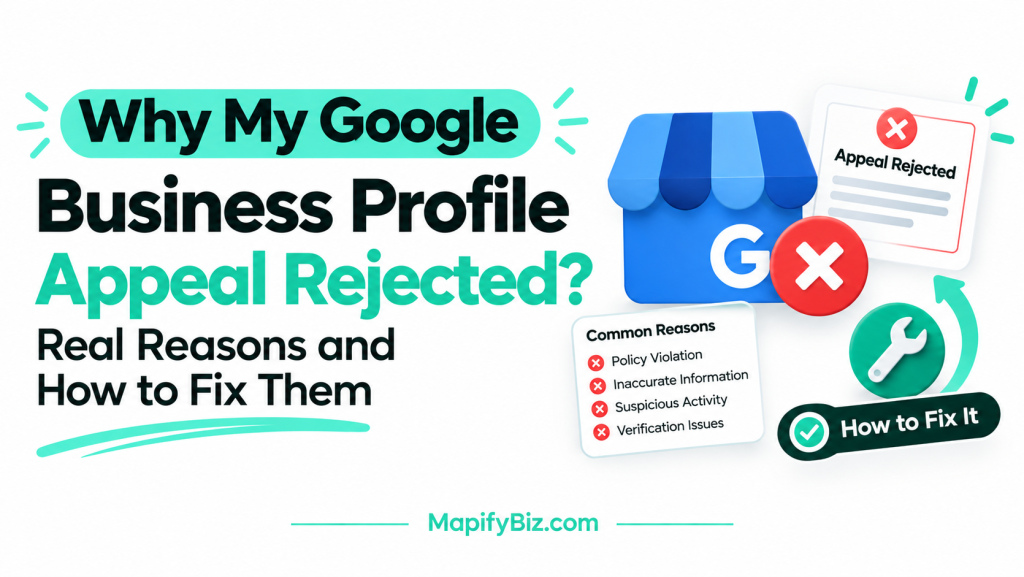
Step 6: What If My Request Is Denied?
A denial does not always mean the end. Read the email, find what Google could not confirm, and fix it. Then send a new request with better proof. Many denied cases get approved on a second or third try once the missing details are added. If you have been denied more than once, a professional review of your profile can find what you are missing.
How Do I Reopen My Google Business Profile?
How you reopen a profile depends on why it is closed.
If the profile is suspended, follow the reinstatement steps above.
If the profile is marked as permanently closed, sign in to your dashboard, open the profile, and change the business status to open. You may need to verify the profile again. If you cannot change it, send a request through Google’s Business Profile support.
If the profile was removed or merged, search for your business on Google Maps first. You may find another listing that holds your reviews. Claim it and ask Google to restore or split the correct listing.
How Do I Unsuspend My Google Workspace Account?
This is a separate issue from a Business Profile suspension, although the two often get confused. A Google Workspace account is the email and admin account you use for tools such as Gmail and Drive. If Workspace is suspended, your Business Profile is not affected on its own, but you may lose access to the email you used to manage it.
To fix a Workspace suspension, sign in to the Google Admin console as the admin, find the suspended user or the billing notice, and follow the prompts. Common causes are unpaid billing or a policy violation. If you cannot sign in, use Google’s Workspace support to appeal. Once you regain access, check that your Business Profile owner email still works.
What Should I Do After My Profile Is Reinstated?
Getting the profile back is the first step. The next step is to keep it safe and make it work for you.
How Do I Avoid Getting Suspended Again?
- Keep your name, address, and phone number the same everywhere online.
- Avoid changing several key details at once.
- Do not add keywords or city names to your business name.
- Respond to reviews and avoid asking for fake or paid reviews.
- Keep your website live and matching your profile.
- Add a second owner or manager to the profile so you do not lose access if one account is locked.
How Do I Get More Leads From My Google Business Profile?
A live profile is only useful if customers contact you. These steps help:
- Pick one main category and add all relevant secondary categories.
- List every service you offer, with a short description of each.
- Add real photos of your work, team, and location every month.
- Post updates, offers, and projects on your profile.
- Reply to every review, good or bad, within a few days.
- Make sure your website has a page for each service and each area you serve.
This is where local SEO comes in. A well-built profile, a fast website with clear service pages, and consistent business listings all work together to push you higher in the map results.
Can I Reinstate My Google Business Profile Without Help?
Yes, many owners do it themselves, and the steps above are enough for simple cases. Professional help is worth considering if you have been denied more than once, if you run a service-area business with no storefront, if the suspension came with no clear reason, or if you cannot afford to wait because the profile brings in most of your leads.
At MapifyBiz, we handle Google Business Profile reinstatement, management, optimization, and local SEO for business owners across the USA. We review the suspension, prepare the proof, submit the appeal, and then fix the profile and website so the problem does not return. If your profile is suspended, or it is live but not bringing in calls, contact us for a free review of your situation.
Not Sure Where to Start?
Let our experts map out your next move — a clear, no-obligation review of your case, tailored to you.
FAQs About Reinstating a Google Business Profile
1. How long does it take to reinstate a Google Business Profile?
Most requests get a reply within a few business days. Complex cases, or those that need extra proof, can take a couple of weeks.
2. Can I appeal a Google Business Profile suspension more than once?
Yes. If your request is denied, fix the issue Google could not confirm and submit a new request with better proof.
3. Why was my Google Business Profile suspended for no reason?
It may feel that way, but there is almost always a trigger, such as a keyword in your name, an ineligible address, or big edits after verification. Check the guidelines against your profile.
4. Will I lose my reviews if my profile is suspended?
Usually no. Reviews stay attached to the profile and return when it is reinstated, though they may be hidden while it is suspended.
5. What is the difference between a soft suspension and a hard suspension?
A soft suspension blocks you from managing the profile, but the listing may still show on Maps. A hard suspension removes the listing from Search and Maps.
6. Can I use a PO box or virtual office for my Google Business Profile?
No. Google does not allow PO boxes or virtual offices. Use a real address where you work, or hide the address if you are a service-area business.
7. Do I need a physical storefront to get my profile reinstated?
No. Service-area businesses can have a profile if they travel to customers, but you must hide your address and show proof such as branded vehicles, tools, and invoices.
8. Why can’t I edit my Google Business Profile?
Your profile may be suspended, unverified, or under review. Check your dashboard for a notice and confirm you are signed in to the owner account.
9. Does a broken website affect Google Business Profile reinstatement?
It can. Google compares your profile with your website, so a site that is down or shows different details can weaken your appeal.
10. How much does it cost to reinstate a Google Business Profile?
Google does not charge for reinstatement requests. If you hire a service to handle the appeal and fix your profile, the price depends on how complex the case is.