The documents required for Google Business Profile reinstatement are proof that your business is real and operates at the address on your profile. Most businesses need a business license or registration, a recent utility bill or bank statement showing the business name and address, and photos of the storefront, signage, and inside of the location. Service-area businesses may also need vehicle photos, insurance papers, or a tax document. Google decides which proof it wants, so having a few of these ready gives you the best chance of a quick approval.
What is Google Business Profile Reinstatement?
Google Business Profile reinstatement is the process of asking Google to restore a listing it has suspended. When a profile is suspended, it disappears from Google Search and Google Maps. Customers can’t find you, call you, or leave reviews.
To get it back, you submit an appeal through Google’s reinstatement form. Google’s review team looks at the details of your business and the proof you submit. If everything matches Google’s rules, the listing comes back. If something is missing or doesn’t add up, the appeal is rejected.
That is why documents matter so much. They are the only way for Google to confirm your business is real.

Not Sure Where to Start?
Let our experts map out your next move — a clear, no-obligation review of your case, tailored to you.
Why Do Google Business Profiles Get Suspended?
Knowing the cause helps you pick the right documents. These are the most common reasons we see in the USA:
- Wrong business name. Adding keywords or a city to your name, such as “Best Plumber Dallas Cheap,” breaks Google’s rules.
- Fake or unverifiable address. Using a P.O. box, a virtual office, or a coworking space with no staff on site often leads to suspension.
- Missing proof of business. Google can’t confirm you operate where you say you do.
- Service-area problems. Showing a home address publicly when you don’t serve customers there.
- Changing details too often. Editing your name, address, or category several times in a short period.
- Duplicate profiles. Two listings for one location confuse Google’s system.
- Policy violations. Fake reviews, prohibited content, or misleading information.
- Unclear ownership. A profile that was transferred or claimed by someone else.
Sometimes a profile is suspended by mistake. Google’s automated systems are not perfect, and real businesses get caught in them.
How Do You Know If Your Google Business Profile is Suspended?
Look for these signs:
- A red “Suspended” banner inside your Business Profile dashboard.
- The listing is gone from Google Maps and Search, even when you search your exact business name.
- You can’t edit your hours, photos, or posts.
- An email from Google saying your profile violates its guidelines.
- Reviews are no longer visible to the public.
A suspension is different from a verification issue. If your profile is just unverified, you will see a “Verify now” button. A suspension has no such option. It shows a warning with a link to appeal.
Can a Suspended Google Business Profile Be Recovered?
Yes, in most cases. A suspended profile can be recovered if you fix the problem Google flagged and prove your business is real.
Recovery works best when:
- Your business is real and has a physical presence or serves customers in person.
- Your documents match the name and address on your profile.
- You submit a clear, honest appeal with the right proof.
Recovery is harder when the suspension is for repeated violations, a fake address, or a business that doesn’t exist as described. In that case, you may need to fix the underlying issue first, such as updating your business name or address, before appealing again.
Be careful with repeat appeals. Sending the same incomplete request over and over can slow things down.
What Documents are Required for Google Business Profile Reinstatement?
Google accepts different proof depending on your business type. Here is what to gather.
What Core Documents Do Most Businesses Need?
- Business license or registration. A state or city license, an LLC or corporation certificate, or a DBA (doing business as) filing. The name must match your profile.
- Utility bill or bank statement. A recent bill, ideally within the last 90 days, showing your business name and address. Electric, water, internet, and phone bills usually work.
- Tax document. An EIN letter from the IRS or a state tax registration can support your claim.
- Lease agreement or property deed. This shows you have a right to use the address.
- Insurance papers. A business insurance policy with your name and address.
You do not need all of these. Pick the ones that clearly show your business name and address together.
What Photos and Videos Does Google Ask For?
Google often asks for visual proof, especially for businesses with a storefront. Prepare:
- A clear photo of the outside of your building with the street visible.
- A photo of your business signage showing the name on your profile.
- Photos of the inside, such as your counter, products, tools, or work area.
- A photo of your business license displayed on the wall, if you have one.
Some appeals now ask for a short video. It usually starts outside the building, shows the signage, then walks inside to show the work area. Keep it continuous and unedited so Google can see it’s genuine.
What Do Service-Area Businesses Need?
If you travel to customers, such as a plumber, mover, or cleaner, you may not have a storefront. Google may ask for:
- Photos of your vehicle with your business name and logo.
- Photos of your tools and equipment.
- An invoice or contract with a customer, with private details hidden.
- Business cards or uniforms showing your name.
- Proof of your address, since Google still needs to know where you are based.
Not Sure Where to Start?
Let our experts map out your next move — a clear, no-obligation review of your case, tailored to you.
What If My Business Operates From Home?
Home-based businesses are common and allowed. You can hide your address and show only a service area. For the appeal, provide a utility bill or bank statement at the home address, your registration, and photos of your vehicle or work setup. Don’t show a home address publicly if you don’t meet customers there.
How Do I Prepare My Documents So Google Accepts Them?
Having the right documents is only half of it. How you present them matters.
- Match every detail. Your business name, address, and phone number should be written the same way on the profile, your documents, and your website.
- Use clear, readable files. No blurry photos, cropped corners, or screenshots of screenshots.
- Show the full document. Include the name, address, date, and issuer.
- Use recent dates. Old bills can be rejected.
- Keep your profile name honest. If your profile name differs from your legal or signage name, fix it before appealing.
- Make sure your website works. A working website with your name, address, and services supports your claim. A broken or empty site makes Google doubt you.
How Do I Contact Google About a Suspended Account?
You can reach Google in three ways:
- Reinstatement form. Sign in to your Business Profile, open the suspended listing, and choose the appeal option. This is the main route.
- Business Profile Help Community. Post your issue and Google Product Experts may guide you.
- Business Profile support. Use the “Contact us” option in Google’s help pages to request a call, chat, or email, depending on what is offered for your account.
Phone support isn’t always available, and many owners find the form is the only reliable way. Always use the email linked to your profile and answer follow-up emails quickly.
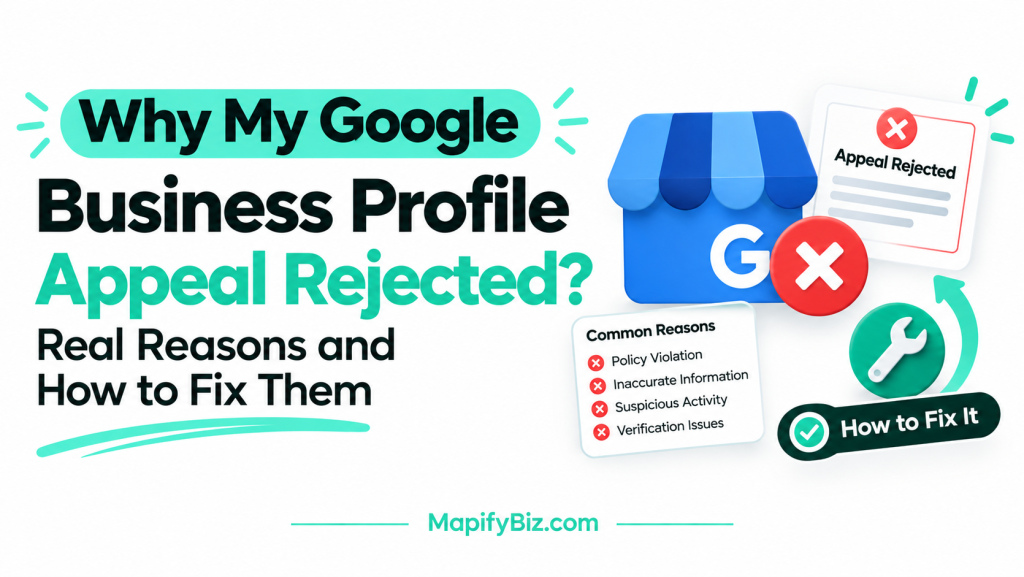
Why Does Google Keep Rejecting My Business Profile?
If your appeals keep failing, one of these is usually the reason:
- Documents don’t match the profile. The name or address differs even slightly.
- Unclear or low-quality proof. Google can’t read the file.
- The address is not allowed. Virtual offices and mailboxes are rejected.
- The business name breaks the rules. Extra keywords or slogans.
- Too many appeals in a row. Without fixing the cause.
- Your online presence is thin. No website, no social pages, no consistent listings.
- The original violation was never fixed. Google sees the same problem again.
The fix is to find the real cause, correct it, and then send one strong appeal rather than several weak ones.
How Long Does Reinstatement Take?
Google says reviews can take up to a few business days, but in practice it can take a week or longer if your case needs a closer look. If you get a rejection, read the message carefully, fix what’s missing, and appeal again with better proof.
How Can Mapify Biz Help With Your Reinstatement?
Reinstatement is stressful, especially when every day offline means lost calls and customers. At Mapify Biz, we help business owners across the USA get suspended profiles back by:
- Finding the exact reason for the suspension.
- Telling you which documents to collect and how to present them.
- Preparing and submitting the appeal.
- Following up until the profile is live again.
Once your profile is back, we also help with Google Business Profile management, optimization, and local SEO, including fixing broken websites, so you get more calls and leads and don’t face suspension again. If your profile is suspended or underperforming, get in touch with Mapify Biz and we’ll look at your case.
Not Sure Where to Start?
Let our experts map out your next move — a clear, no-obligation review of your case, tailored to you.
FAQs About Documents Required for Google Business Profile Reinstatement
1. How long does Google Business Profile reinstatement take?
Usually a few business days, though complex cases can take a week or more.
2. Can I appeal more than once?
Yes, but only appeal again after fixing what was wrong. Repeating the same request rarely works.
3. Do I need a business license to get reinstated?
Not always, but it is one of the strongest proofs. If you don’t have one, use other documents such as a utility bill, tax document, or lease.
4. What is the best proof of address for Google Business Profile?
A recent utility bill or bank statement showing your business name and address.
5. Can I get reinstated with a virtual office address?
Rarely. Google doesn’t allow virtual offices or mailboxes unless staff are present during business hours.
6. Will I lose my reviews if my profile is suspended?
Reviews are hidden during suspension, and usually return when the profile is reinstated.
7. Can a home-based business get reinstated?
Yes. Hide your address, set a service area, and provide proof of the home address and your business activity.
8. What happens if my reinstatement request is denied?
Read the reason, correct the issue, gather stronger proof, and submit a new appeal.
9. Can I create a new profile instead of waiting?
It is not recommended. A new profile for the same business can create a duplicate and lead to another suspension.
10. How can I stop my profile from being suspended again?
Use your real business name, a valid address, keep details consistent everywhere, avoid frequent edits, and follow Google’s guidelines.